

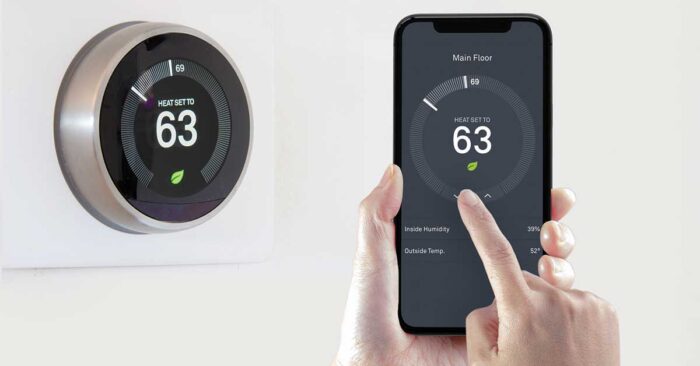
Everyone is talking about Google Nest thermostats lately. If you’re staring at one in your shopping cart wondering if it’s actually worth the cash or just a glorified wall decoration, you’re not alone. Here’s the “no-BS” breakdown of what you’re actually buying and whether it’s a smart move for your house or just a waste of money.
What is Google Nest Thermostat?
The Google Nest is basically a smart controller for your AC and heat. It’s not just a plastic box on the wall; it’s a Wi-Fi-connected hub that lets you change the temperature from your phone while you’re lying in bed or stuck at work. You can even yell at Alexa or Google to turn the heat up when you’re too lazy to move. It’s all about convenience.
How does it work?
It’s got some “brains” under the hood. It uses sensors to figure out when you’re home and when you’re out, eventually learning your routine so you don’t have to keep messing with the dial. The goal is to stop heating an empty house, which (ideally) puts some money back in your pocket by lowering your power bill. You can let it do its thing automatically, or just grab the app and take over whenever you feel like it.
What are the benefits of installing a Google Nest Thermostat?
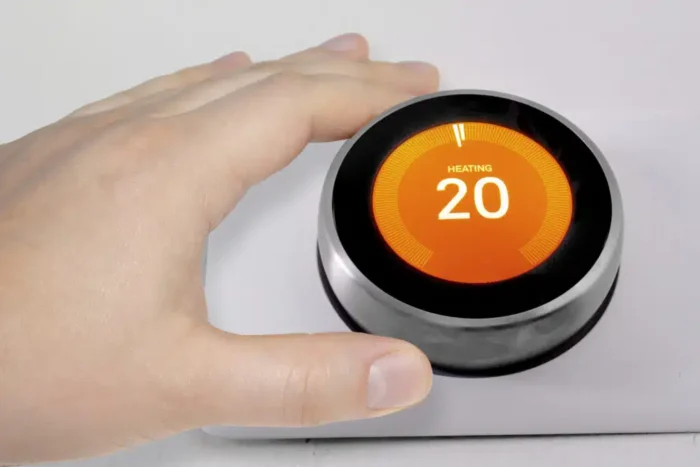
- Lower Bills: It’s obsessed with saving energy so you aren’t burning cash.
- Pure Convenience: No more getting out of bed to fix the temp.
- Total Remote Control: Check in on your house from your phone while you’re at the office.
- Learns Your Life: It builds a schedule around you, not the other way around.
- Plays Well with Others: It syncs up perfectly with your other smart home gear.
Is it easy to install a Google Nest thermostat?
The can I do this myself? question really depends on your comfort level with wires. If you’ve got a basic grip on home electronics, it’s a pretty straightforward afternoon project. But let’s be real: if looking at a bunch of colored wires makes you break out in a sweat, it’s better to call in thermostat installation experts. It’s better to pay a pro than to fry your expensive new toy or mess up your HVAC.
Can Google Nest thermostat be installed in any home?
The Nest plays nice with about 85% of standard 24V systems. Whether you’re running on gas, electric, solar, or even a heat pump, there’s a massive chance it’ll work. A common question people ask is: can nest thermostat replace heating and air conditioning controls entirely? Absolutely. It takes over the job of your old, dumb thermostat and drags your HVAC system into the 21st century.
If you’re worried about the cost of installing a nest thermostat, remember that while the device has an upfront price, our thermostat installation experts can get it running perfectly the first time and show you how to keep it running smoothly. All you really need is the Nest and Home apps to start calling the shots.
Is the Nest thermostat wireless?
In the way that matters, yes. It hooks into your Wi-Fi so you can control it from the palm of your hand. It still needs to be wired into your system for power, but once it’s up, you’ll rarely ever have to actually touch the wall unit again.
How much does it cost to install a Google Nest thermostat?
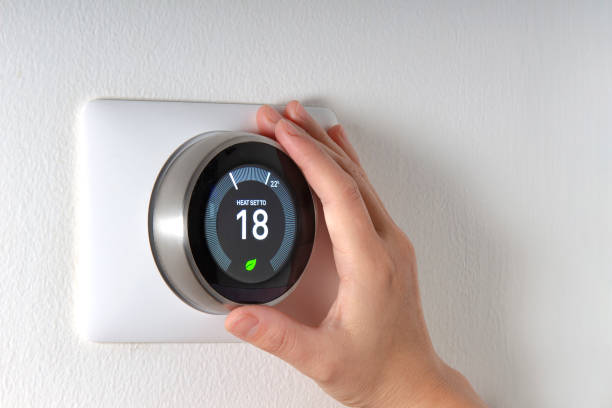
The cost of installing a nest thermostat is kind of a “it depends” situation. If you’re handy and do it yourself, you’re just paying for the device. But if your home has weird, ancient wiring or you just don’t want to touch it, you’ll need to hire thermostat installation experts. Professional labor can add another $100 to $250 to the bill. Your best bet? Get a couple of quotes so you don’t get ripped off.
Does the Nest thermostat run at a No-power supply place?
No, it’s not magic. It needs electricity to live. If your house loses power, the thermostat is going down too. It does have a built-in rechargeable battery backup, but that’s just to keep your settings from wiping during a quick flicker. It won’t keep your AC running if the grid is dead.
Is the Google Nest thermostat compatible with all smart home systems?
Mostly, yeah. It’s a Google product, so obviously it loves Google Assistant. It works great with Alexa, too. If you’re an Apple devotee, the newer models are finally playing nice with HomeKit through “Matter,” but definitely check the box before you buy to make sure it’ll talk to your iPhone.
Is it easy to use?
Actually, yes. It’s one of the few gadgets that isn’t a total headache. The screen is clear, and the app is dead simple. You don’t need a computer science degree to change the temp; you just turn the dial or swipe your phone.
Can I install a Nest Thermostat Myself?
If you’ve ever swapped a light fixture or a wall outlet, you’ve got this. The Nest app literally holds your hand through the whole thing. But look, if you open your old thermostat and it looks like a rat’s nest of 50 different wires, don’t be a hero. Just call a pro.

Does a Nest Thermostat Have a Battery?
Yes, it’s got a rechargeable one tucked inside. It stays charged by pulling a tiny bit of power from your HVAC wires. You don’t have to worry about it unless your system is old and doesn’t provide enough “juice” to keep it topped up.
How long do Nest Thermostat batteries last?
The internal ones are meant to last for years without you touching them. If you have the cheaper model that takes AAA batteries, expect to swap those out every 3 to 6 months. The app will start bugging you way before they actually die, so you won’t be left shivering in the dark.
Does the Nest Thermostat have a camera?
Hell no. There’s no camera. It’s not spying on your living room. It uses basic motion sensors—like the ones that turn on a porch light—just to see if someone is walking by so it knows you’re home.
Does a Nest Thermostat Save Money?
That’s the big promise. It’s smart enough to realize when you’ve left the house and will crank the “Eco” mode so you aren’t paying to cool an empty room. If you actually use the schedules, it usually pays for itself in energy savings within a year or two.
How Many Zones Can a Nest Thermostat Control?
One Nest thermostat can control multiple zones in your home. However, each zone will require its Nest Temperature Sensor to monitor and adjust the temperature accurately.
Where Does Blue Wire Go on Nest Thermostat?
The blue wire on the Nest thermostat goes into the C terminal, which stands for “common.” This wire provides constant power to the thermostat and is essential to function properly. It is important to note that not all homes have a blue wire, and in such cases, using a common wire adapter may be necessary to install a Nest thermostat.
If you still have questions about the Nest thermostat, contact MileHi HVAC experts; we can help you with any installation or troubleshooting needs.
Conclusion
Upgrading to a smart home shouldn’t be a headache. Whether you’re looking to slash your energy bills or just want the convenience of phone-controlled AC, a Google Nest is a solid investment. While the DIY route is an option for some, getting it right the first time ensures your system runs at peak efficiency. Don’t risk a DIY disaster with your home’s comfort. If you’re ready for a seamless setup, contact Milehi HVAC for the most reliable HVAC service in Denver today. We’ll get your Nest installed perfectly so you can start saving immediately.